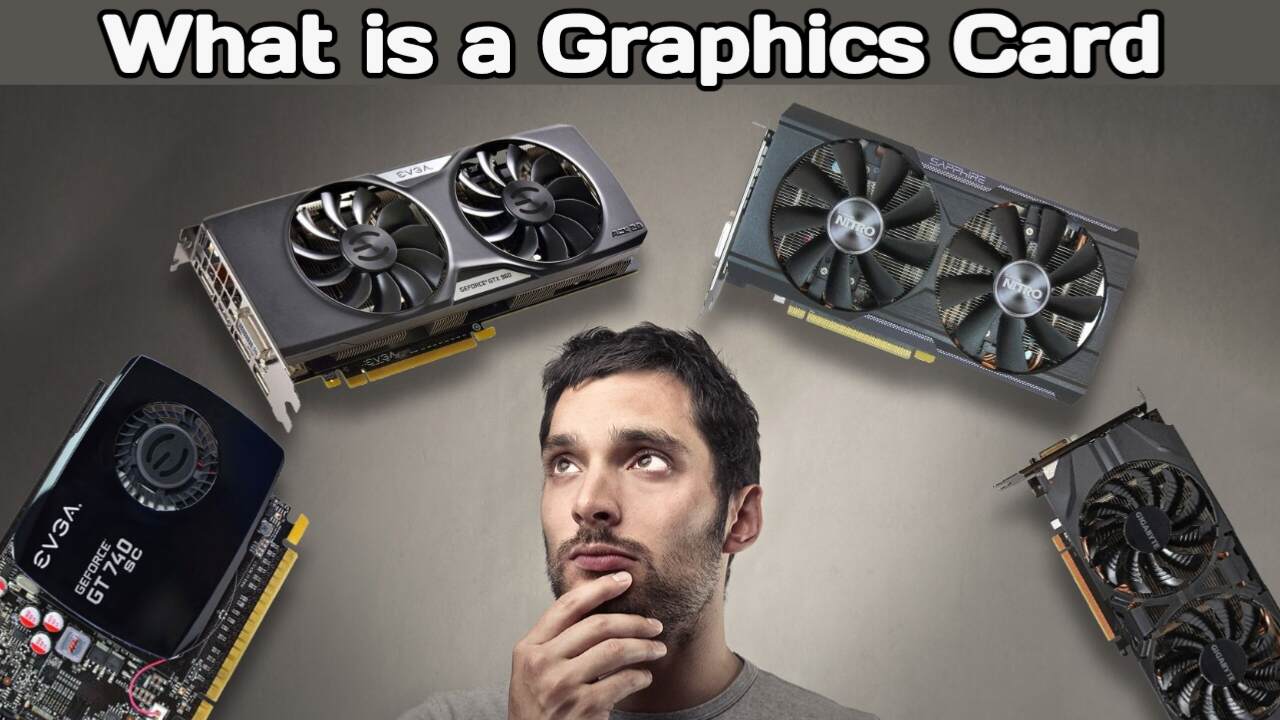
What is a Graphics Card How does a GPU work, and what are its types
Have you ever noticed that even though your laptop or desktop has the latest CPU and plenty of RAM, things run smoothly when performing basic tasks like opening Word, Excel, or PowerPoint? However, the moment you launch a game or run an editing app, your system slows down or starts hanging.
A major reason for this could be the lack of a dedicated graphics card. In this article, we will explore graphics cards in detail. Beyond simply processing graphics data, modern graphics cards are also used for tasks involving neural networks, AI (Artificial Intelligence), and machine learning. We will look at the components that make up a graphics card, the different types available, and how they function. We will also discuss why you might need a graphics card for your system. Let’s get started.
What is a Graphics Card
A graphics card is a hardware unit composed of various components. Its function is to process video and graphical data from your system and display it on the screen. For this reason, it is often referred to as a video card, graphics adapter, or video controller. Graphics cards are primarily used in systems like gaming PCs, desktops, workstations, and data centers. In contrast, for compact devices like mobile phones and slim laptops, the GPU responsible for graphics processing is usually integrated directly into the system. However, some laptops do offer the option of an external or dedicated graphics card.
What is a GPU
While a graphics card is a complete hardware unit in itself, the core task of processing graphics is performed by a small chip inside it called the GPU (Graphics Processing Unit). Just as the CPU handles general data processing in a computer, the GPU handles the primary task of graphics processing. All other components on the graphics card exist to support the GPU. To put it simply, the GPU performs graphics processing, whereas a graphics card is a complete hardware unit containing the GPU along with various other components.
Why are both a CPU and a GPU needed
The question arises: since both the CPU and GPU perform processing tasks, why can’t the CPU handle everything? Why was the GPU needed?
Initially, computer graphics tasks relied heavily on the CPU. However, as graphics became more complex—with the advent of 3D games, high-resolution video, and other demanding graphical applications—the need for specialized hardware for graphics processing became apparent.
The integrated graphics found within a CPU are not sufficient for heavy graphics-intensive tasks. This led to the creation of dedicated graphics cards, which feature a powerful GPU specifically for graphics processing.
Main types of graphics cards
Graphics cards can be broadly categorized into three types:-
1. Integrated Graphics
2. Dedicated Graphics Card
3. External Graphics Card
1. What is Integrated Graphics
Integrated graphics are Graphics Processing Units (GPUs) that are built directly into the system. They do not require the installation of a separate, large graphics card. Integrated graphics are commonly used in compact devices like laptops and mobile phones. An integrated GPU typically utilizes a portion of the system’s main memory (RAM) for graphics processing. They are suitable for everyday tasks such as web browsing, office work, basic editing, and standard graphics applications. Examples of integrated graphics solutions include Intel HD Graphics and Intel UHD Graphics. Some AMD processors also feature integrated graphics. Additionally, many Apple devices incorporate graphics processing directly into the company’s custom chips.
2. What is a dedicated graphics card
A dedicated graphics card is a separate hardware unit installed on a computer’s motherboard. It comes with its own VRAM (Video Random Access Memory), providing dedicated memory for graphics processing. While the CPU uses the system’s RAM, the dedicated GPU uses its own VRAM to process graphics data. Consequently, dedicated graphics cards are ideal for demanding tasks such as high-end gaming, video editing, 3D rendering, animation, AI, and machine learning. They are widely used in gaming PCs, professional workstations, and data centers.
3. What is an external graphics card
An external graphics card, or eGPU, represents a more advanced concept. It comes in the form of an external enclosure that can be connected to a compatible laptop via a high-speed port. It is particularly useful for laptops where installing an internal dedicated graphics card is not feasible—such as certain thin and slim models. An external graphics card allows you to boost a compatible laptop’s graphics processing capabilities. However, external graphics solutions can be expensive, and not every laptop is compatible with them.
What is the difference between a CPU and a GPU
Let us now understand the fundamental difference between a CPU and a GPU. The CPU (Central Processing Unit) is a general-purpose processor. It is designed to run the operating system and software applications, perform mathematical calculations, and manage various system tasks. A GPU, on the other hand, is a specialized processor designed to handle a large number of similar calculations in parallel. It consists of numerous small processing units capable of working on multiple calculations simultaneously. This makes GPUs highly effective for tasks such as graphics rendering, 3D modeling, video processing, and certain AI and machine learning workloads.
Simply put, while the CPU is more flexible for general-purpose processing, the GPU is highly specialized for parallel processing.
History of the GPU
The history of the GPU is intertwined with the evolution of computer graphics. Early computers and gaming systems utilized various types of graphics hardware for processing visuals. As computer games and graphics became more advanced over time, dedicated graphics processing hardware evolved alongside them. The term “GPU” gained widespread popularity with the launch of the NVIDIA GeForce 256 in 1999. Since then, graphics hardware has advanced rapidly; modern GPUs are now capable of handling demanding tasks such as high-resolution graphics, real-time rendering, ray tracing, AI, and machine learning.
Which companies manufacture graphics cards
NVIDIA and AMD are the two dominant names in the world of graphics processing today. NVIDIA is renowned for its GeForce and RTX graphics card series, while AMD is known for its Radeon series. These companies offer graphics solutions across various performance categories, ranging from entry-level to high-end models.
Who manufactures graphics cards
Friends, when a graphics card is manufactured, it consists of more than just the GPU chip; it incorporates several other components as well.
For example:-
1. GPU
2. VRAM
3. PCB
4. VRM
5. Cooling System
6. BIOS Chip
7. Power Connectors
8. Display Ports
NVIDIA and AMD primarily design the GPUs. The actual manufacturing of the GPU chips is carried out by semiconductor foundries. TSMC (Taiwan Semiconductor Manufacturing Company) is one of the world’s leading semiconductor foundry companies. Apart from this, other manufacturing companies also produce various types of chips.
Who assembles the graphics card
AIBs (Add-in Board Partners) play a key role in the final assembly and custom design of graphics cards. Companies such as ASUS, MSI, Gigabyte, Zotac, Sapphire, and PowerColor manufacture these cards. They take the GPU and integrate their own PCB designs, cooling systems, power delivery systems, and other components to create the final graphics card.
Who makes the VRAM
The VRAM used in graphics cards is manufactured by various memory manufacturers. Companies like Samsung, Micron, and SK Hynix produce graphics memory. Similarly, components such as VRMs, power components, MOSFETs, capacitors, and other electronic parts are produced by different companies. Thus, a graphics card is created through the collaboration of various manufacturers and components.
Let us now understand the main components found inside a graphics card.
What is a PCB
One of the largest components of a graphics card is the PCB, or Printed Circuit Board. The GPU, VRAM, VRM, BIOS chip, power connectors, and other components are mounted on this PCB. Just as the CPU, RAM, and other components are mounted on a computer’s motherboard, the PCB serves as the main board for the graphics card.
What does the GPU do
The GPU (Graphics Processing Unit) is located at the center of the graphics card. It performs the primary task of graphics processing. The GPU processes game graphics, video rendering, 3D models, lighting, shadows, and other graphical calculations. The other components of a graphics card serve to support the GPU.
What is VRAM
The GPU is equipped with VRAM, or Video Random Access Memory. This acts as dedicated memory for the GPU, temporarily storing data required during graphics processing. When you launch a game, various types of data related to the game’s graphics may be stored in the VRAM. This is why you hear about graphics cards being 4GB, 6GB, or 8GB; in these instances, the reference is typically to the graphics card’s VRAM capacity.
What is VRM
The VRM (Voltage Regulator Module) helps regulate the power supplied to the graphics card. It plays a crucial role in providing the necessary and stable voltage to the GPU and other components. The power delivery system is particularly important in high-performance graphics cards.
What does the power connector do
Graphics cards may also feature power connectors. Their function is to supply additional power from the PSU (Power Supply Unit) to the graphics card. Graphics cards require sufficient and stable power during high-end gaming and rendering tasks.
What is a BIOS chip
Graphics cards also contain a small BIOS chip. It stores information related to the graphics card’s firmware and plays a vital role in processes such as startup and initial configuration. Simply put, it can be thought of as containing the graphics card’s basic operating instructions.
Display Ports
Graphics cards come with various display outputs for connecting to a monitor. Connections like HDMI and DisplayPort are very common in modern graphics cards, whereas older cards often featured ports like DVI and VGA.
Cooling System in Graphics Cards
Graphics cards handle intensive processing, which can cause the GPU to generate significant heat. Therefore, a cooling system is installed to keep the GPU and other components cool. This system may include components such as fans, heatsinks, and heat pipes. If the cooling system fails to function correctly, the GPU temperature can rise, potentially affecting performance.
How does a GPU actually work
Let’s understand how a GPU works. Its primary function is to process graphics-related instructions and data to generate visual output. When you run a game, video, animation, or 3D application, graphics-related instructions from the CPU and software are sent to the GPU. Based on these instructions, the GPU processes a vast number of calculations in parallel to complete the image generation process.
What are Shader Cores in a GPU
Inside a GPU, there are numerous small processing units, which are known by different names depending on the architecture. NVIDIA uses these as CUDA Cores, whereas AMD employs Stream Processors. Their function is to process graphics and other parallel computations.
What do Ray Tracing Cores do
Modern GPUs may also include specialized hardware for Ray Tracing. Its function is to calculate how light reflects after striking an object, how shadows are formed, and how reflections appear on surfaces like glass or water. Ray Tracing allows lighting, shadows, and reflections in games to appear much more realistic.
What are Tensor Cores
Specialized processing units like Tensor Cores are used specifically for calculations related to AI and machine learning. They are utilized in workloads such as AI-based upscaling, image enhancement, and machine learning. For instance, certain NVIDIA GPU technologies employ Tensor Cores for AI-related tasks.
How is a 3D image created in a GPU
When you start a game, the 3D models, objects, textures, and lighting data from the game world are sent to the GPU. First, the GPU processes the 3D models as small triangles. Next, shaders perform calculations regarding the shape, color, texture, and lighting of these triangles. Then, the GPU converts these shapes into pixels—a process known as Rasterization. Finally, the specific color and other visual details for each pixel are determined.
What is a Vertex
In 3D graphics, a vertex is a crucial building block. Vertices are used to define the shape and position of a 3D object. A single object can consist of many vertices. Three vertices can combine to form a triangle, and a multitude of such triangles come together to create the complete 3D model. The GPU processes vertex data within the graphics pipeline, driving the process of rendering the 3D object on the screen. To create 3D graphics, the GPU processes various types of data—geometry, lighting, and texture. Geometry defines the object’s shape and structure. Lighting handles information regarding light sources, shadows, and reflections. Texture mapping determines the appearance of the object’s surface. By processing all these elements, the GPU generates the final image. What is a Frame?
When a GPU fully renders an image, it constitutes a single frame. In games or videos, a vast number of such frames are generated continuously. For instance, “60 FPS” in a game means the system aims to generate and display approximately 60 frames per second. The rendered frame is then sent via the display output to the monitor, where the final image appears to the user.
Conclusion
So, you now understand what a graphics card is, the function of a GPU, and the key components housed within a graphics card. The primary role of a graphics card is graphics processing, with the GPU serving as the most critical component in this process. Meanwhile, other components—such as VRAM, VRM, PCB, the cooling system, BIOS, and power connectors—support the GPU. While integrated graphics suffice for everyday tasks, dedicated graphics cards provide the superior processing power required for high-end gaming, video editing, 3D rendering, and various AI and machine learning workloads. Simply put, the GPU processes instructions and graphics data, performs calculations, renders images, and facilitates their display on the screen. This is how the entire graphics processing system operates.

I am the founder and content creator of SuperJankari.com, a technology-focused website dedicated to sharing useful information about smartphones, laptops, gadgets, apps, software, and the latest technology updates. My goal is to make technology easy to understand by providing clear, practical, and informative content for readers.