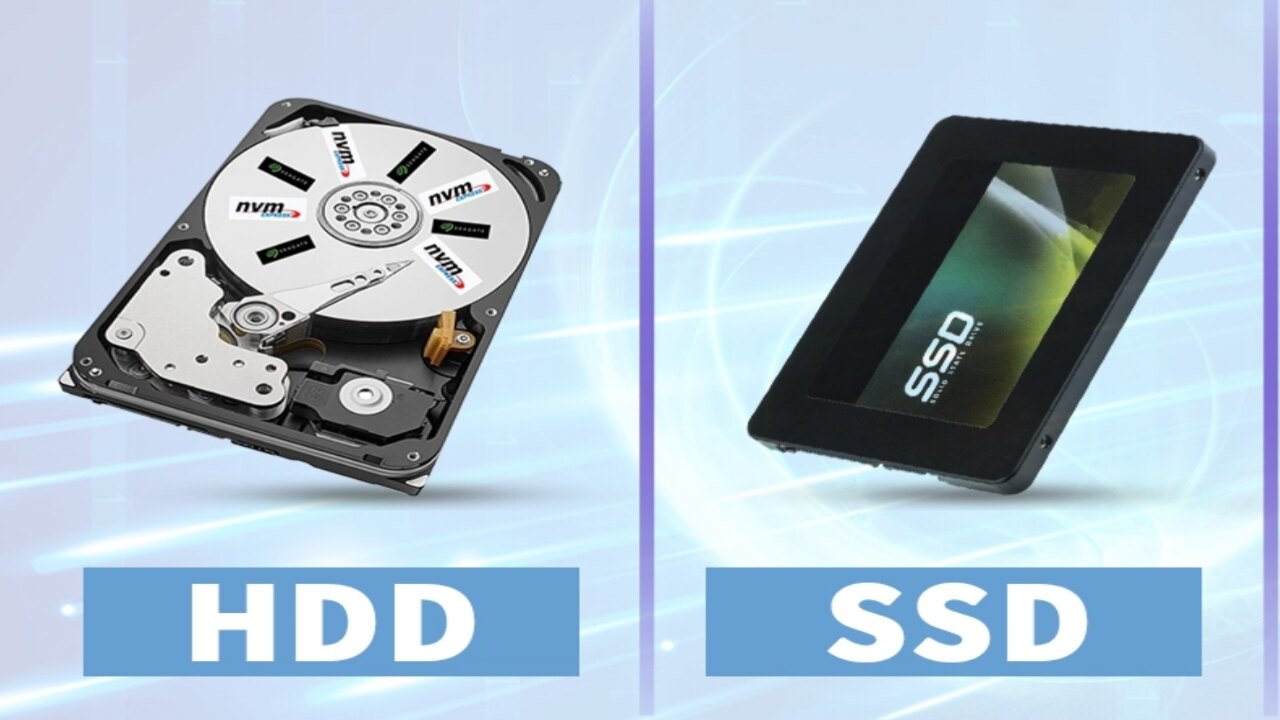
What are HDD and SSD? Understand the differences between them
The invention of the computer has proven to be a great boon for all of us, as computers offer numerous features that are incredibly beneficial.
Today, computer usage has become so commonplace that we rely on them for almost any task. In this modern era, they assist us in everything from education to space exploration.
Since their inception, computers have shrunk in size while their processing capabilities have steadily increased. You may be aware that early computers were massive in size, whereas today’s computers are compact enough to be easily carried anywhere.
This gives you an idea of just how rapidly technology is advancing.
Computers possess many features that are highly advantageous to us. One such crucial feature is the computer’s data storage capacity.
Data is stored in memory in the form of zeros and ones. Memory components are also known as storage devices; modern computers typically utilize two types of storage devices: HDD and SSD.
Both serve the same fundamental purpose—storing all of the computer’s data—yet there are distinct differences between them.
So, in today’s video, we will specifically discuss what HDDs and SSDs are, how they function, and which one is superior.
What is an HDD
Let us begin by understanding what an HDD is.
HDD stands for Hard Disk Drive. All the data on your computer—such as photos, videos, files, and software—is stored on the hard disk.
A hard disk is a rigid structure made of metal; inside, it contains circular plates used to store data.
Essentially, all our data is recorded on these plates in the form of zeros and ones.
A mechanical arm, known as a “Read Head,” is used to read and write data on these plates. When a hard disk is active—meaning it has started up—the internal platters spin rapidly. A Read/Write head is positioned over these platters; its function is to read data from and write data to the rapidly spinning platters.
The faster these platters spin, the faster data can be read from or written to the hard disk.
What is HDD speed
Hard disk speed is measured in RPM, or Revolutions Per Minute.
Early computer hard disks operated at 1200 RPM; that is, they could complete only 1200 revolutions in a minute.
However, modern hard disks can reach speeds of up to 15,000 RPM.
The world’s first hard disk was created by IBM in 1956 and had a capacity of only 5 MB.
What is an SSD
Moving forward in this video, let’s discuss SSDs.
SSD stands for Solid State Drive.
An SSD is an upgraded version of the hard disk; however, unlike hard disks, it does not use platters to store data. Instead, it utilizes small microchips where all data is stored.
SSDs do not contain any moving mechanical parts like those found in hard disks. Consequently, SSDs are capable of reading and writing data much faster than hard disks.
SSDs are designed for faster input and output operations.
SSDs were invented to enable faster computer performance. Since an SSD is many times faster than a hard disk, the computer becomes capable of performing input and output operations much more rapidly.
Difference between SSD and HDD
There are other notable differences between hard disks and SSDs as well. SSDs consume less power compared to hard disks because they do not contain any moving parts. All components within an SSD are solid-state, making the drive shockproof. In other words, even if an SSD falls, there are no internal parts that could break. Compared to SSDs, hard disks are more expensive and faster.
I hope this video has provided you with information about HDDs and SSDs.
Conclusion
Both HDDs and SSDs are used to store data in computers, but they rely on different technologies. HDDs utilize platters and mechanical components for data storage, whereas SSDs use microchips. Consequently, SSDs offer faster speeds and contribute to better computer performance. At the same time, HDDs remain a useful option for data storage. Therefore, one can choose between an HDD and an SSD based on specific requirements.

I am the founder and content creator of SuperJankari.com, a technology-focused website dedicated to sharing useful information about smartphones, laptops, gadgets, apps, software, and the latest technology updates. My goal is to make technology easy to understand by providing clear, practical, and informative content for readers.